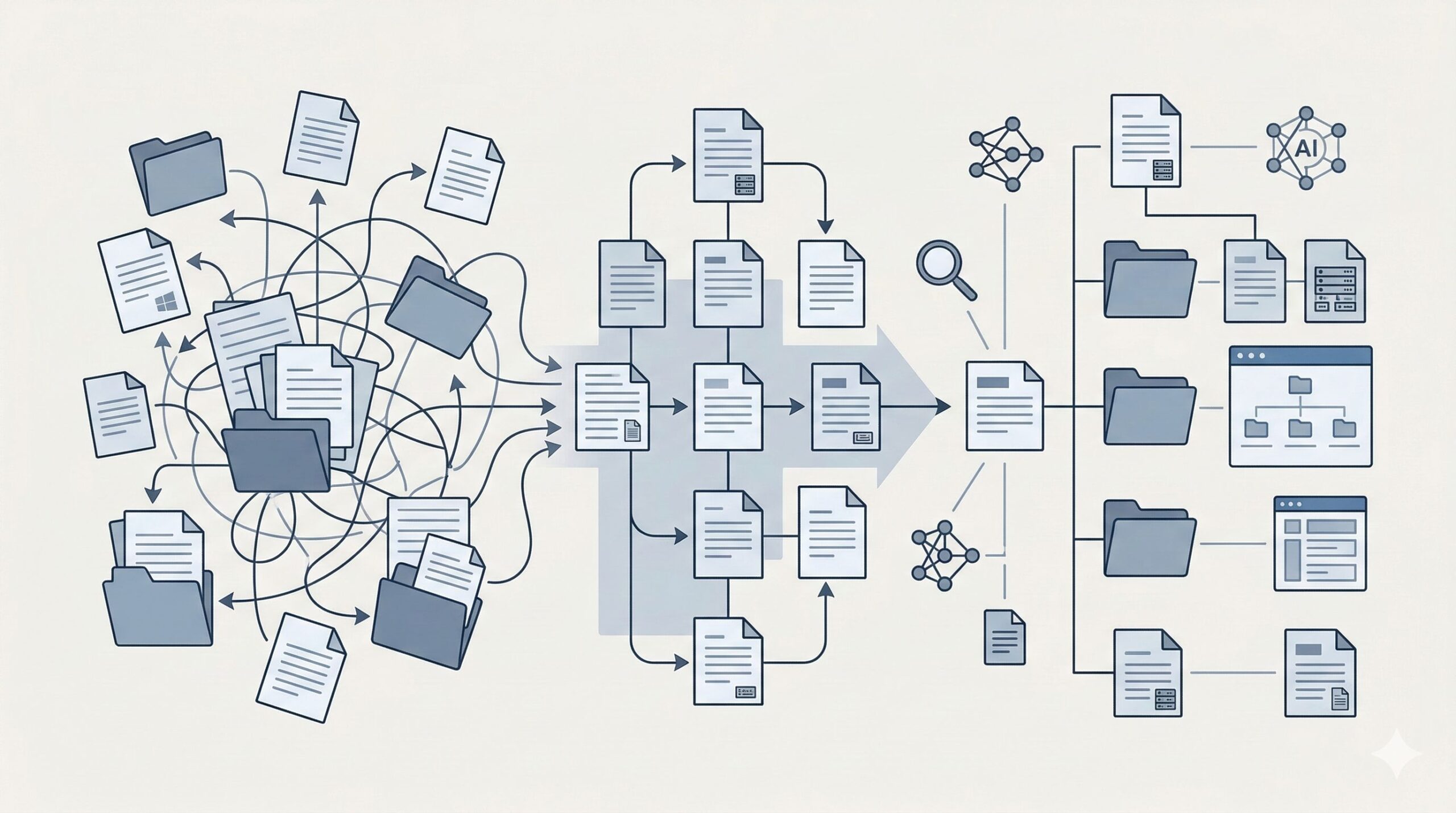
Over the years, the WinSyslog documentation grew organically. New features were added, tutorials were published on the website, and parts of older manuals were reused across products. While this helped users get answers quickly, it also created a side effect: navigation became harder, product wording occasionally mixed with other products, and some information appeared in multiple places.
We have now completed a major restructuring and rewrite of the WinSyslog manual to address exactly that.
The goal was simple: make the documentation easier to use for humans, clearer about the product itself, and structured in a way that modern AI systems can reliably retrieve information from.
A Manual That Clearly Belongs to WinSyslog
One of the first steps was correcting the product identity throughout the documentation.
Over time, parts of the manual inherited wording from MonitorWare Agent, which sometimes caused WinSyslog pages, search results, or navigation labels to mention the wrong product. While the products share some technical concepts, WinSyslog is its own solution and should be presented as such.
During the rewrite:
- Incorrect cross-product wording was removed
- Shared material was kept only where it still made sense
- WinSyslog pages were rewritten to consistently reflect the WinSyslog product model
The result is a manual that clearly describes WinSyslog as its own product, rather than appearing as a trimmed version of another manual.
A Structure Built Around User Intent
Another major change is the top-level structure of the documentation.
The old structure contained several generic or overlapping sections. These were simplified to reduce cognitive load and help users find what they need faster.
Key improvements include:
- Merging Product Tour and Getting Started into a clearer onboarding path
- Removing the generic Articles bucket
- Removing the weak Getting Help hub
- Separating Concepts from the Glossary so important explanations are easier to find
- Renaming Sales to Licensing and purchasing to reflect actual user tasks
Overall, the top-level navigation now offers fewer, clearer entry points into the manual.
A Stronger Onboarding Path
The onboarding flow was rewritten to follow the actual process a user goes through when setting up WinSyslog.
The new path now guides users through:
- Installation
- Understanding the main components
- Receiving messages
- First configuration steps
- Processing and filtering
- Storing or forwarding messages
- Troubleshooting
Previously, component explanations were scattered across multiple pages. This has now been consolidated into a single canonical explanation of the WinSyslog component model, supported by a new diagram that visually explains how the system works.
Older component pages remain only as compatibility references where necessary.
Fewer External Dependencies
Historically, parts of the documentation pointed to external tutorials, FAQ pages, or web guides. Some of these pages had become outdated or marketing-focused.
During the restructuring:
- Useful tutorial content was migrated directly into the manual
- Website FAQ material was integrated into an expanded documentation FAQ section
- Outdated or redundant external guides were removed
The result is a self-contained documentation set where most answers are now available directly in the manual.
Clearer Reference and Feature Pages
Several major landing pages were rewritten so they explain the product rather than acting as vague link collections.
This includes improvements to:
- Features
- Reference documentation
- Core concepts
- Services
- Actions
- Filter conditions
Installation and first configuration are now self-contained, making it easier for new users to get up and running without jumping between multiple pages.
Additional Improvements
Alongside the structural changes, a number of smaller cleanups were completed:
- Command-line switch documentation was split into product-specific versions
- Printable manual guidance was moved into the FAQ
- Old seminar and rollout references were removed or corrected
- WinSyslog URLs were normalized to lowercase
- The Japanese WinSyslog entry page was brought back in line with the modernized structure
These changes help ensure the documentation remains consistent and easier to maintain going forward.
Built for Humans — and for AI
Modern documentation is no longer read only by humans. Search engines, AI assistants, and automated tools increasingly rely on documentation structure to retrieve reliable answers.
One important goal of this rewrite was therefore to:
- reduce duplicated answers
- create stronger canonical pages
- clarify navigation structure
This makes the manual easier for humans to read while also improving AI ingestibility and retrieval accuracy.
Looking Forward
Documentation is never truly finished. It evolves together with the software.
This restructuring creates a much stronger foundation for future improvements. New tutorials, updated references, and additional diagrams can now be added within a clearer structure without repeating the mistakes that accumulated over time.
If you work with WinSyslog regularly, we encourage you to explore the updated manual and let us know where it helps — or where it can still improve.
Good documentation is a living system, and your feedback helps make it better for everyone.