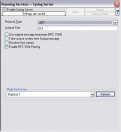
Detail view | | | Syslog Server | | WinSyslog gathers all syslog messages send from different sources and stores them locally on the Windows system. To do this, you can configure a Syslog Server service. It can be set to listen to any valid port. UDP and TCP communication is supported. |
|
| | |
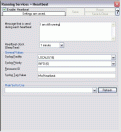
Detail view | | | Heartbeat | | It can be used to continuously check if everything is running well. It generates an information unit every specified time interval. That information unit can be forward to a different system. If it does not receive additional packets within the configured interval, it can doubt that the sender is either in trouble or already stopped running. |
|
| | |
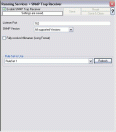
Detail view | | | SNMP Trap Receiver | | SNMP Trap Receiver allows you to receive SNMP messages. A rough description of a Trap is that it is somewhat like a Syslog message, just over another protocol (SNMP). A trap is generated when the device feels it should do so and it contains the information that the device feels should be transmitted. |
|
| | |
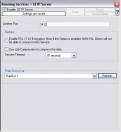
Detail view | | | SETP Server | | A SETP server is used to ensure reliable receiving of events from other systems. SETP takes the original message from the sender and uses the exact settings that the sender was configured for. No alteration occurs at the SETP server side as no values need to be configured for the message format. |
|
| | |
Data Collection | | |
| | |
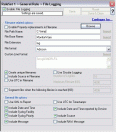
Detail view | | | Write To File | | File logging is used to write text files of received messages. One file per day is written. New entries are appended to the end of the file. You can also put all data in one file or use circular logging to get files of a specific size. |
|
| | |
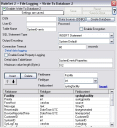
Detail view | | | Write To Database | | Database logging allows persisting all incoming messages to a database. Once they are stored inside the database, different message viewers as well as custom applications can easily browse them. |
|
| | |
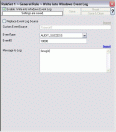
Detail view | | | Write To Event Log | | It is used to configure the logging to the Windows NT / 2000 or XP event log. It is primarily included for legacy purposes. |
|
| | |
Alerting | | |
| | |
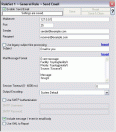 Detail view | | | Forward via Email | | Email notifications can be sent to any standard Internet email address, which allows forwarding not only to typical email clients but also pager and cellular phones. The email subject line is fully customizable and can be set to include the original message. That way, pagers can receive full event information. |
|
| | |
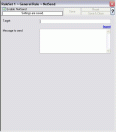
Detail view | | | Net Send | | This helps to send short alert messages to recipient machine via Windows net send facility. |
|
| | |
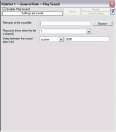
Detail view | | | Play Sound | | This action allows you to play a sound file. |
|
| | |
other-miscellaneous-features | | |
| | |
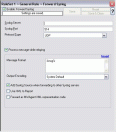
Detail view | | | Syslog Support | | NT Event Messages can be forwarded using standard Syslog protocol. NT severity classes are mapped to the corresponding Syslog classes. Codes are fully supported. |
|
| | |
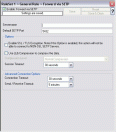
Detail view | | | SETP Support | | NT event messages can be sent to a SETP server using SETP protocol. |
|
| | |
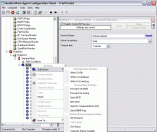
Detail view | | | Powerful Event Processing | | WinSyslog has powerful and flexible rule engine which processes all events based on a configured set of actions. An unlimited number of rules and actions allow tailoring to the specific needs. |
|
| | |
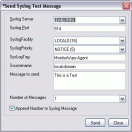
Detail view | | | Send Syslog Test Message | | WinSyslog client comes with Send Syslog Test Message facility. This option enables to check if syslog messages being sent properly to the destination or not. |
|
| | |
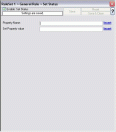
Detail view | | | Set Status | | Each Information unit has specific Properties e.g. EventID, Priority, Facility etc. These properties have some values. You can Create a new property and assign any valid desired value to it. |
|
| | |
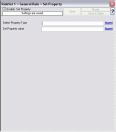
Detail view | | | Set Property | | With this, some properties of the incoming message can be modified. This is especially useful if an administrator would like to e.g. rename two equally named devices. |
|
| | |
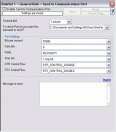
Detail view | | | Send to Communications Port | | It allows to send a string to an attached communications device, that is it sends a message through a Serial Port. |
|
| | |
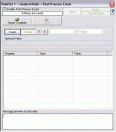
Detail view | | | Post-Process Event | | The post process action allows you to re-parse a message after it has been processed e.g. Tab Delimited format. Such re-parsing is useful if you either have a non-standard syslog format or if you would like to extract specific properties from the message. |
|
| | |
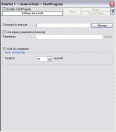
Detail view | | | Start Program | | With this, an external program can be run. Any valid Windows executable can be run. This includes actual programs (EXE files) as well as scripts like batch files (.BAT) or VB scripts (.vbs). Start Program can, for example, be combined with the service monitor to restart failed services. |
|
| | |
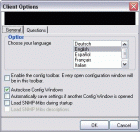
Detail view | | | Multi-Language Client | | The WinSyslog client comes with multiple languages ready to go. Out of the box, English, French and German are supported. Other languages will be added shortly. Languages can be switched instantly. Language settings are user-specific; so multiple users on the same machine can use different languages. |
|
| | |

Detail view | | | Other other-miscellaneous-features Features | | These include centralized logging, ease of use, powerful actions, interactive server, freeware mode, standards compatible, firewall support, WinSyslog web access, syslog hierarchy, store messages persistently, multiple instances, full logging, robustness, minimal resource usage, firewall support, NT service and ability to runs on large variety of Windows systems. To learn more about these, please see other other-miscellaneous-features features of WinSyslog. |
|