How To Export the Configuration and Create a Debug Log File
This Article describes you how you can export the configuration of your program and create a debug file. These are needed for troubleshooting.
How to Export the Configuration
Open the Configuration Client you want to export the configuration from. Click on “File” in the left upper corner and then on “Export Configuration”.
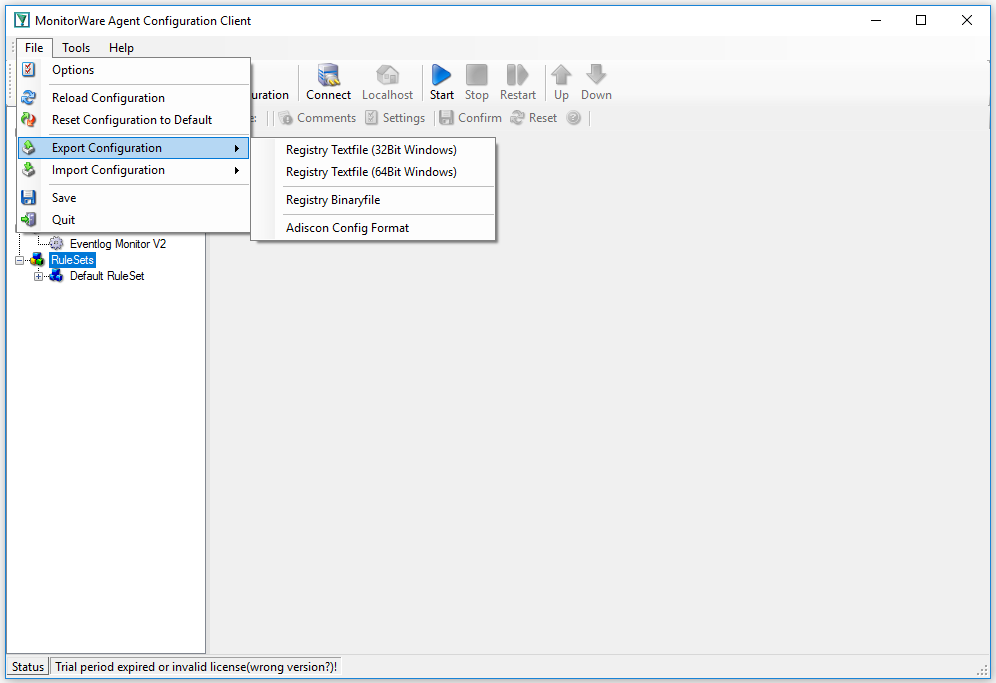
Now you can select the format in which you want to export your configuration. The preferred option is always “Adiscon Config Format”. When able, you should always use it.
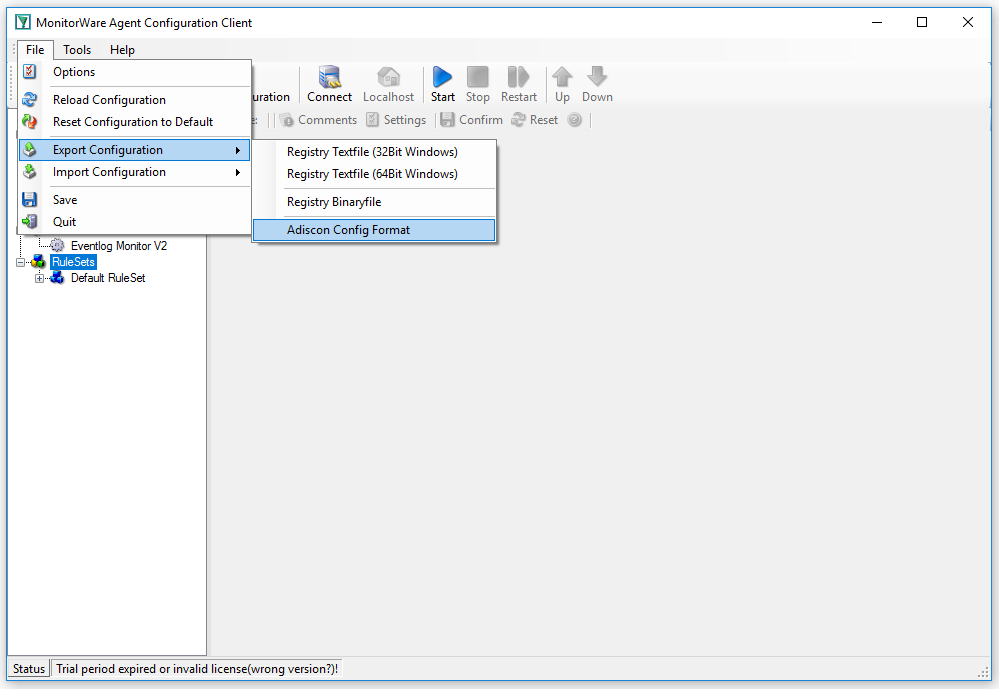
It is always helpful to use a good name for your config file. Just the name “config” will lead to confusion later.

Creating a Debug File
To create a debug file, you need to click in the left tab on “debug”. It can be found under “General”.
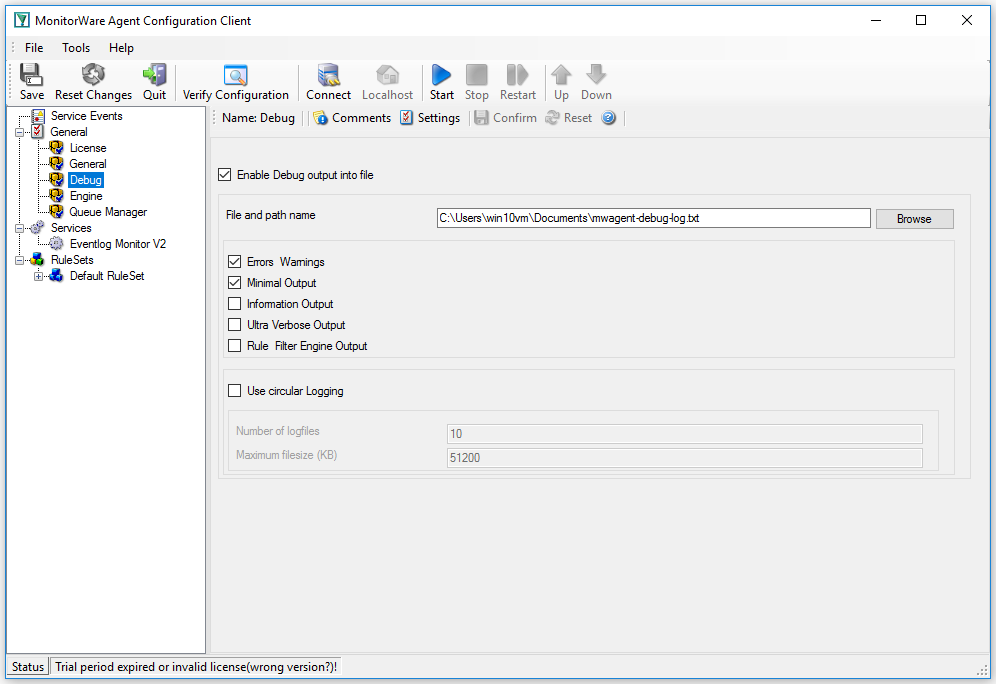
There you can check “Enable Debug output into file” and specify the file and path name. The next time you start the service it will automatically create a debug file.