Last updated 2016-09-27 by Pascal Withopf, using Winsyslog 13.3.
1. First we define a new rule set. Right-click “Rules”. A pop up menu will appear. Select “Add RuleSet” from this menu. On screen, it looks as follows:

2. Then, a window opens. Change the name of the rule to whatever name you like. We will use “Set Status” in this example. Select only “Set Status”. Do not select any other options for this sample. Also, select the “Create a Rule for each of the following actions” setting. Click “OK”. The screen looks as follows:

3. As you can see, the new Rule Set “Set Status” is present. Please expand it in the tree view until the action level of the “Set Status” Rule and select the “Set Status” action to configure.

4. With this action you can create your own properties which can be used in the whole rule and filter engine. Or you can take a already existing property and just change it’s value. Properties are a variable for specified information units. More detailed information is available in the manual.
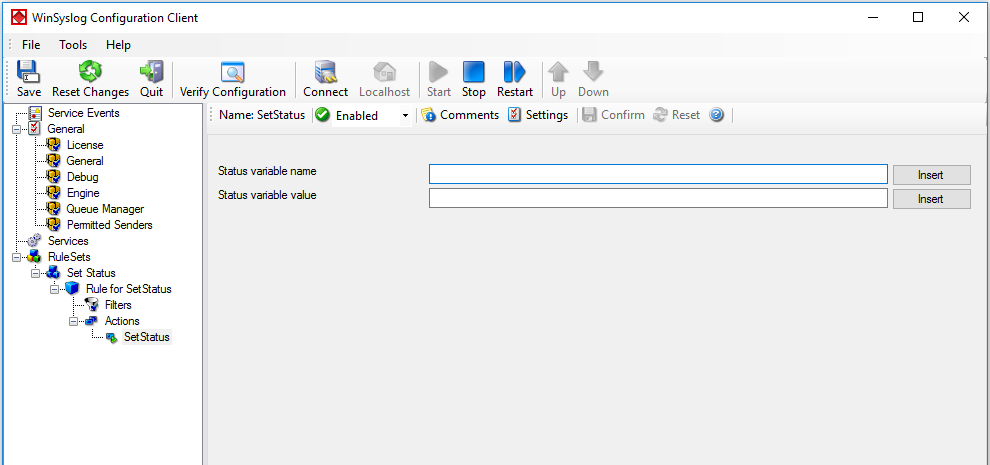
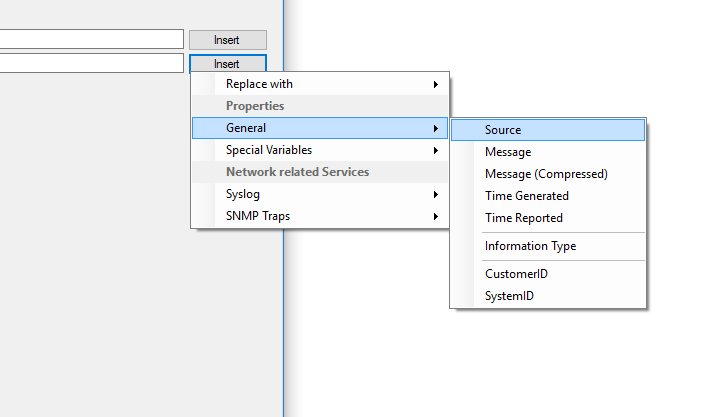
5. You can enter your own property name in the corresponding field, or choose one from the internal list. For this example I choose the property name secEventID. The “Set Property value” can be filled with any valid value or the property replacement. Click on “Insert” to open the menu with the already available properties. This would look like that.
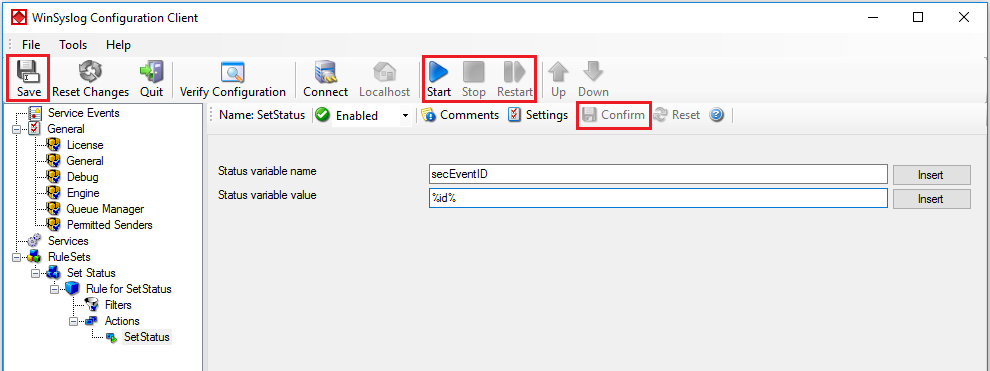
6. Finally, make sure you press the “Save” button – otherwise your changes will not be applied. Then start the service and you are done.