Understand the Components#
WinSyslog is easiest to understand if you separate its main components by role.
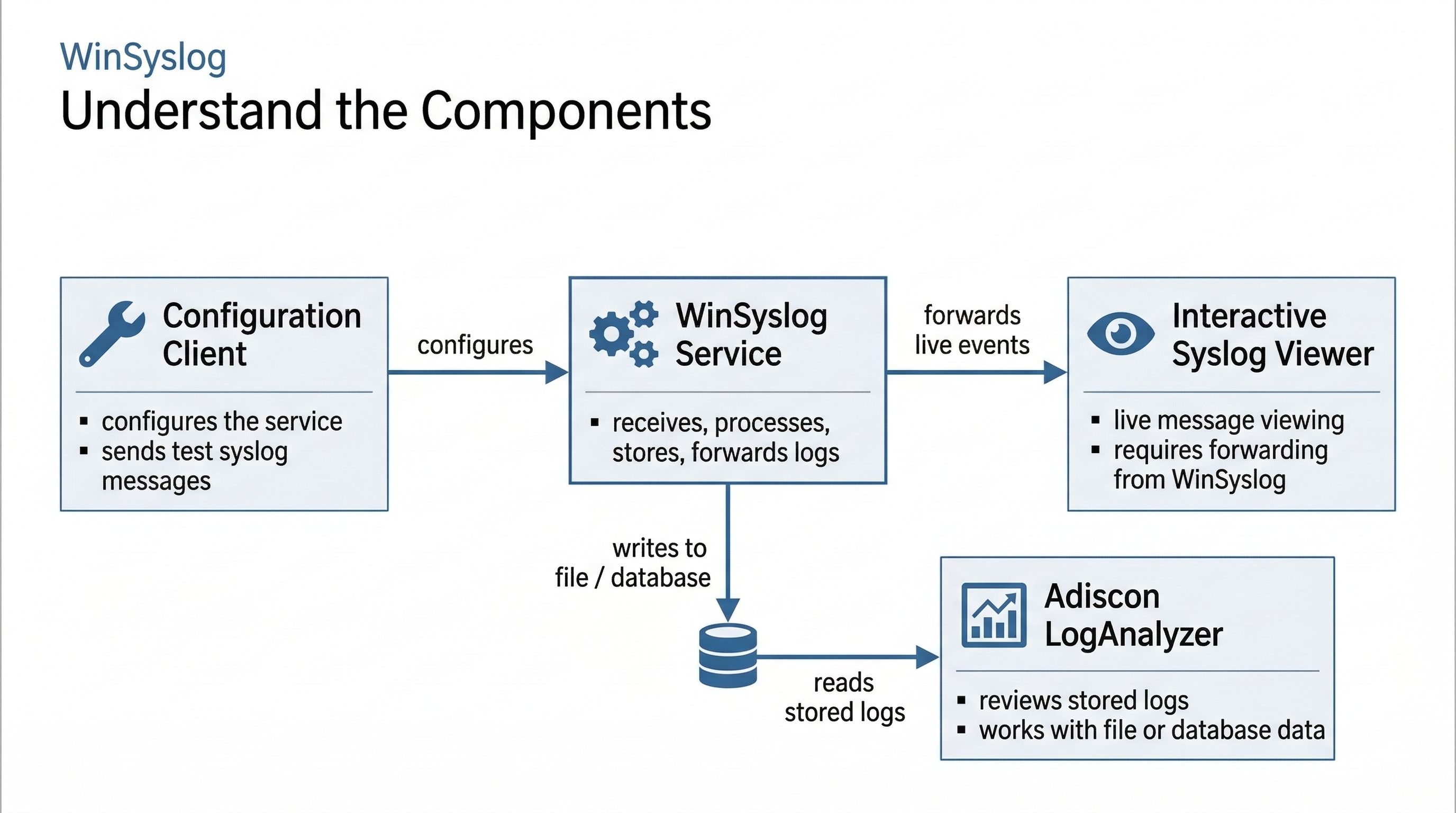
WinSyslog consists of a background service, a configuration client, a live viewer, and an optional analysis component for stored logs.#
The four components#
WinSyslog Service This is the main runtime component. It runs in the background as a Windows service, receives log data through configured input services, processes it through rulesets and actions, and stores or forwards the results.
WinSyslog Configuration Client This is the administrative tool. You use it to configure input services, rulesets, filters, and actions. Changes are made in the Configuration Client and then applied to the WinSyslog service. It is also where you send a test syslog message from the
Toolsmenu.Interactive Syslog Viewer This is the live-view component for interactive monitoring. It does not show data automatically by itself. WinSyslog must forward messages to it via a rule.
Adiscon LogAnalyzer This is an optional analysis component for working with stored logs, especially in files or databases. It is for browsing and reviewing retained data, not for live message intake. Users who prefer a simpler standalone tool for direct log file review may also consider the third-party log viewer Retrospective by centeractive.
How they fit together#
The WinSyslog service runs the configured input services, rulesets, and actions that do the actual receiving, processing, storing, and forwarding.
The configuration client defines what those input services, rulesets, and actions should do and is where configuration changes are applied before the runtime service uses them.
The Interactive Syslog Viewer can display incoming messages live if the WinSyslog service forwards them there.
LogAnalyzer works on stored log data after the WinSyslog service has written it to a file or database.
For the current split between remote administration and browser-based review, see How Do Remote Administration and Browser-Based Log Review Fit Together?.
What to read next#
To understand message intake, start with Receive logs.
To understand what the service does after receiving data, continue with Process and filter.
To understand where data can go next, see Store and forward.
For the more detailed legacy explanation, see Components and How these components work together.