Receive Logs#
WinSyslog receives logs from multiple sources and turns them into events that can be processed by rules.
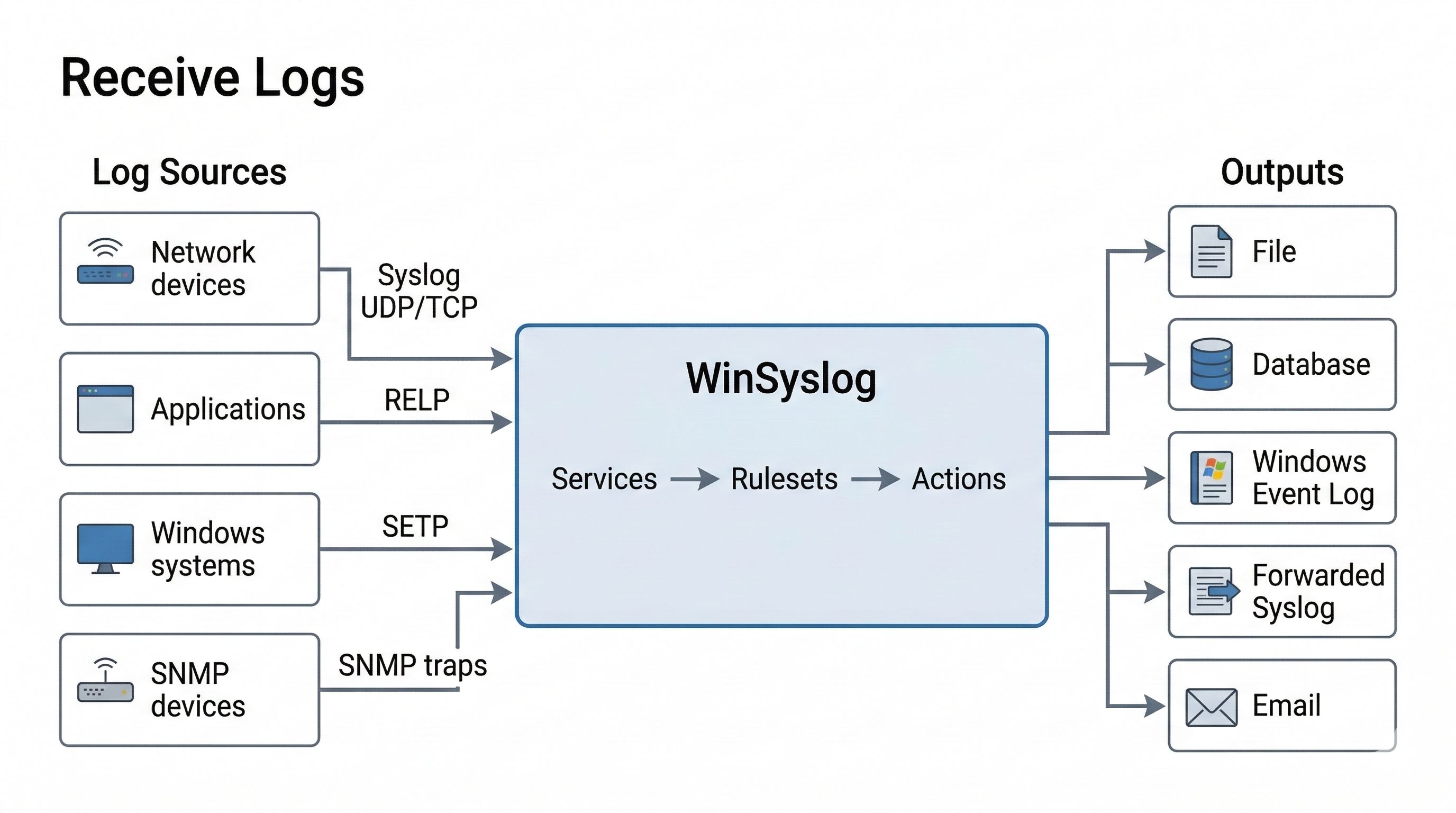
WinSyslog can receive logs from multiple source types, process them through input services, rulesets, and actions, and then store or forward them to downstream targets.
In this manual, input is the clearest plain-language concept for receive
configuration, while service remains the main operational term. Some GUI
pages still use exact labels such as Syslog server, RELP Listener, and
SETP Server for specific service types.
What you can receive:
Syslog over UDP/TCP and secure syslog over TLS
RELP (reliable transport)
Windows Event Log events
SNMP traps
Where to configure it:
Services provide the configured input services.
Syslog server service receives syslog.
RELP Listener service receives RELP.
SETP Server service receives SETP.
SNMP Trap Receiver service receives SNMP traps.
If you run multiple input services, see How Do Port, Address, and Transport Conflicts Work for Input Services? before reusing a port for another service. In that FAQ,
listenerrefers to the network side of a service.
Quick verification:
In the WinSyslog Configuration Client, open Tools and use Send Syslog Test Message (see Send Syslog Test Message).
Confirm messages arrive in the configured ruleset (for example, write to a file).